Notice: Function _load_textdomain_just_in_time was called incorrectly. Translation loading for the acf domain was triggered too early. This is usually an indicator for some code in the plugin or theme running too early. Translations should be loaded at the init action or later. Please see Debugging in WordPress for more information. (This message was added in version 6.7.0.) in /home/suoform/suoqcloud.com/www/wp-includes/functions.php on line 6132

Notice: Function _load_textdomain_just_in_time was called incorrectly. Translation loading for the disable-gutenberg domain was triggered too early. This is usually an indicator for some code in the plugin or theme running too early. Translations should be loaded at the init action or later. Please see Debugging in WordPress for more information. (This message was added in version 6.7.0.) in /home/suoform/suoqcloud.com/www/wp-includes/functions.php on line 6132
Chrome Content Settings | SuoQCloud
×
SuoQCloud
Works with Android Tablet POS printers!
Speed up the services that you offer to your customers.
Automate your records for easier tracking of previous transactions.
Bring order and efficiency into your business.

Chrome Content Settings

Chrome default content setting is blocking the playing of audio files used in the voice read-out and chime. You will need to manually reconfigure the settings using the procedure below.

  1. Run «Chrome»
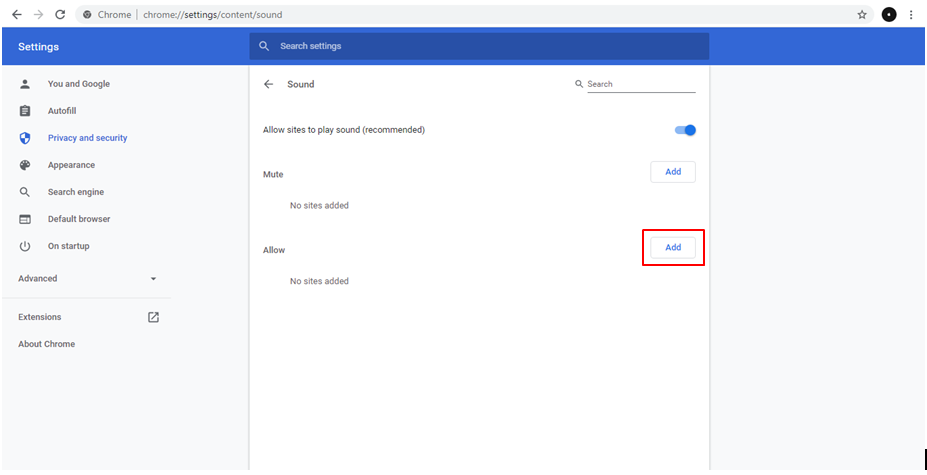
  2. Access the URL below using «Chrome» URL: chrome://settings/content/sound
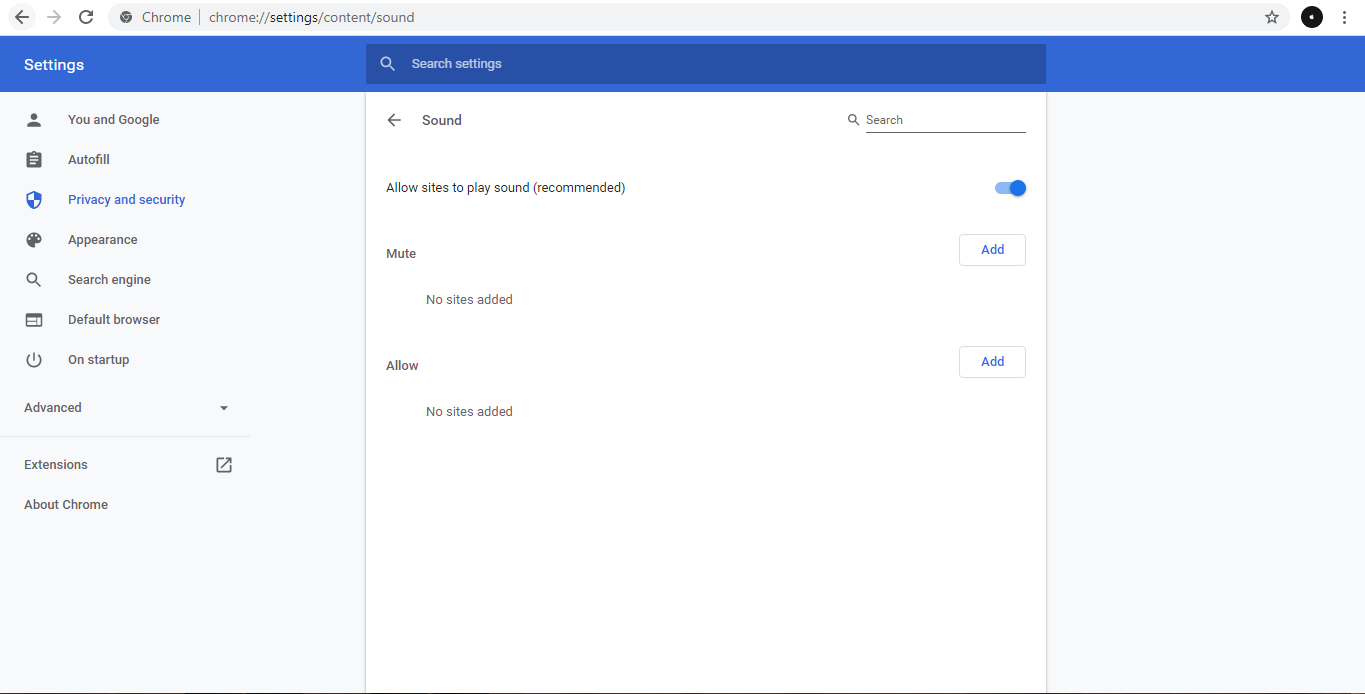
  3. Click «Add» button
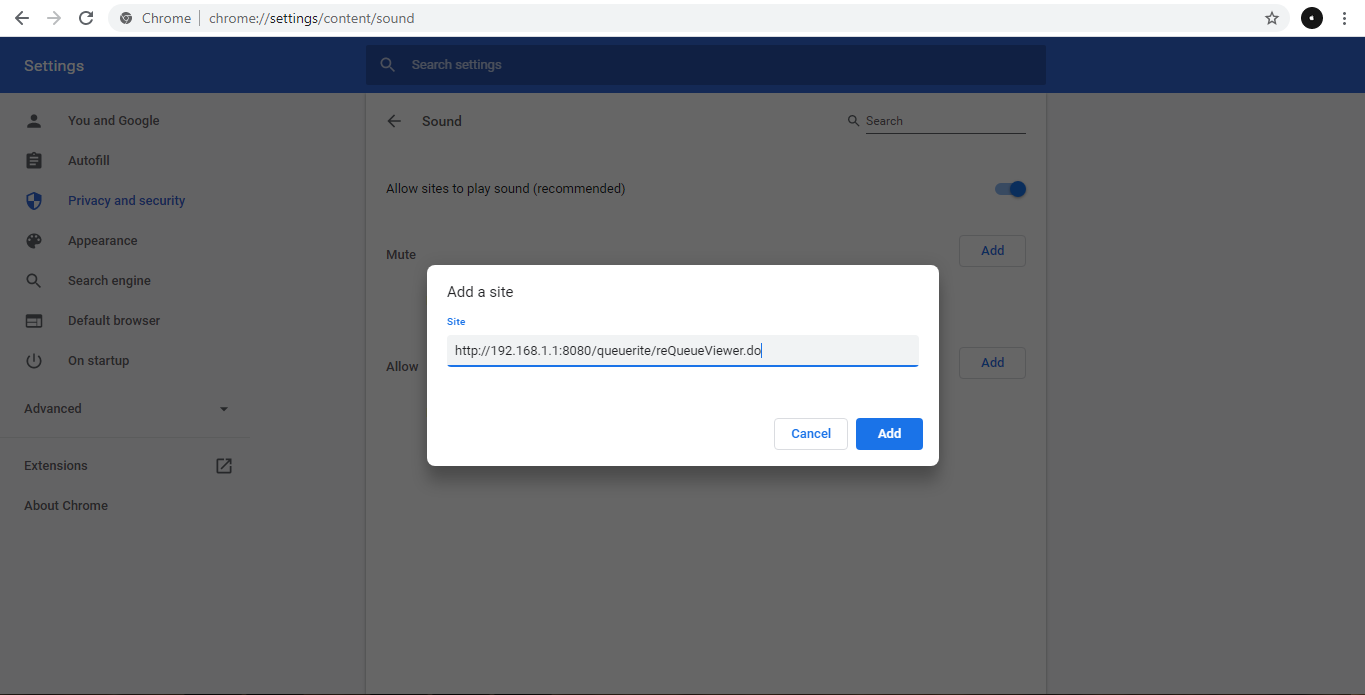
  4. Input the URL used in accessing the viewer/display, then click «Add» URL samples:
    • http://<ServerIPAddress>:<Port>/<ProjectName>/reQueueViewer.do
    • http://192.168.1.1:8080/queuerite/reQueueViewer.do
  5. Refresh the viewer/display