Notice: Function _load_textdomain_just_in_time was called incorrectly. Translation loading for the acf domain was triggered too early. This is usually an indicator for some code in the plugin or theme running too early. Translations should be loaded at the init action or later. Please see Debugging in WordPress for more information. (This message was added in version 6.7.0.) in /home/suoform/suoqcloud.com/www/wp-includes/functions.php on line 6132

Notice: Function _load_textdomain_just_in_time was called incorrectly. Translation loading for the disable-gutenberg domain was triggered too early. This is usually an indicator for some code in the plugin or theme running too early. Translations should be loaded at the init action or later. Please see Debugging in WordPress for more information. (This message was added in version 6.7.0.) in /home/suoform/suoqcloud.com/www/wp-includes/functions.php on line 6132
Setup | SuoQCloud
×
SuoQCloud
Works with Android Tablet POS printers!
Speed up the services that you offer to your customers.
Automate your records for easier tracking of previous transactions.
Bring order and efficiency into your business.

SuoQCloud Setup

Network Diagram Using PC or Laptops
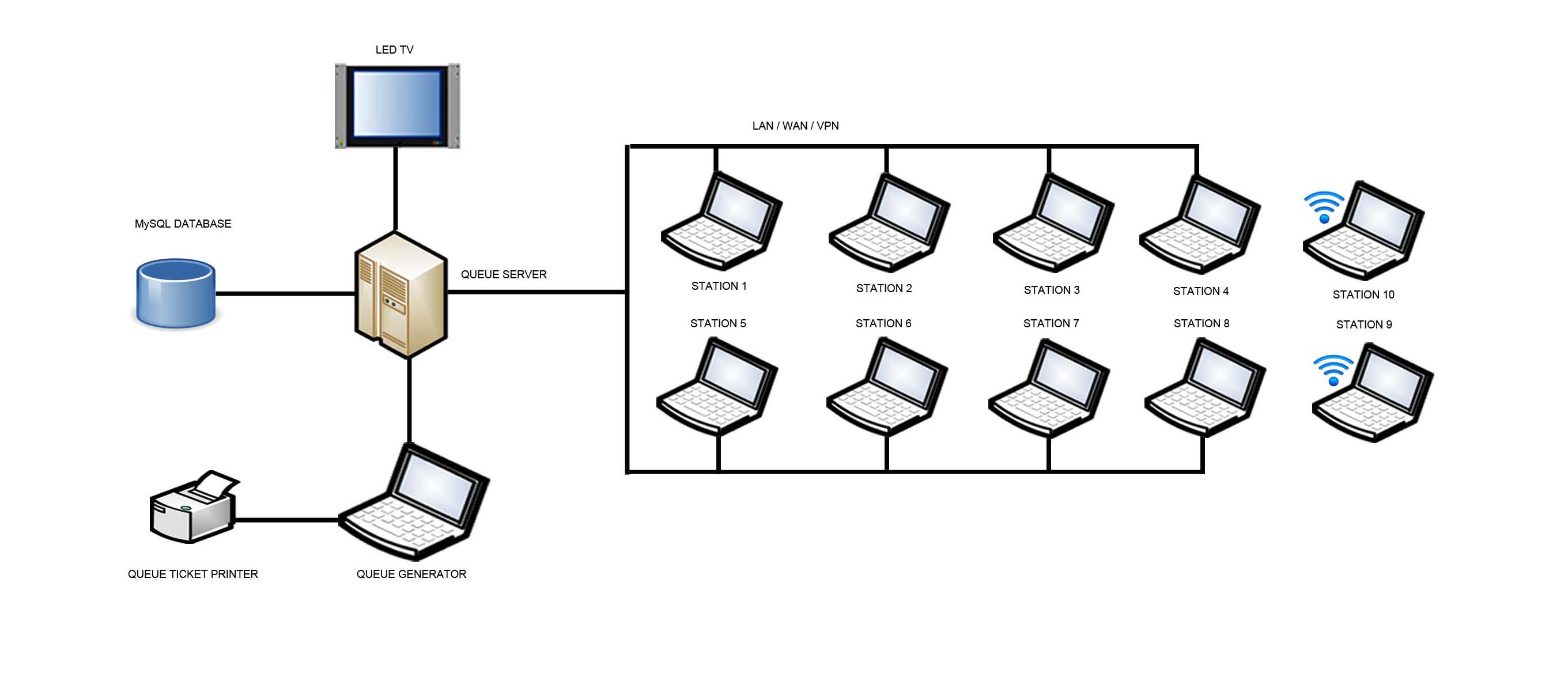
The SuoQCloud System uses off-the-shelf hardware components, such as POS Printers, LED Monitors, desktop PC’s, laptops, notebooks, tablets or even mobile devices. The system can run using regular wired LAN or wireless LAN, or WAN and VPN systems.

Network Diagram Using SuoQCloud Central Server
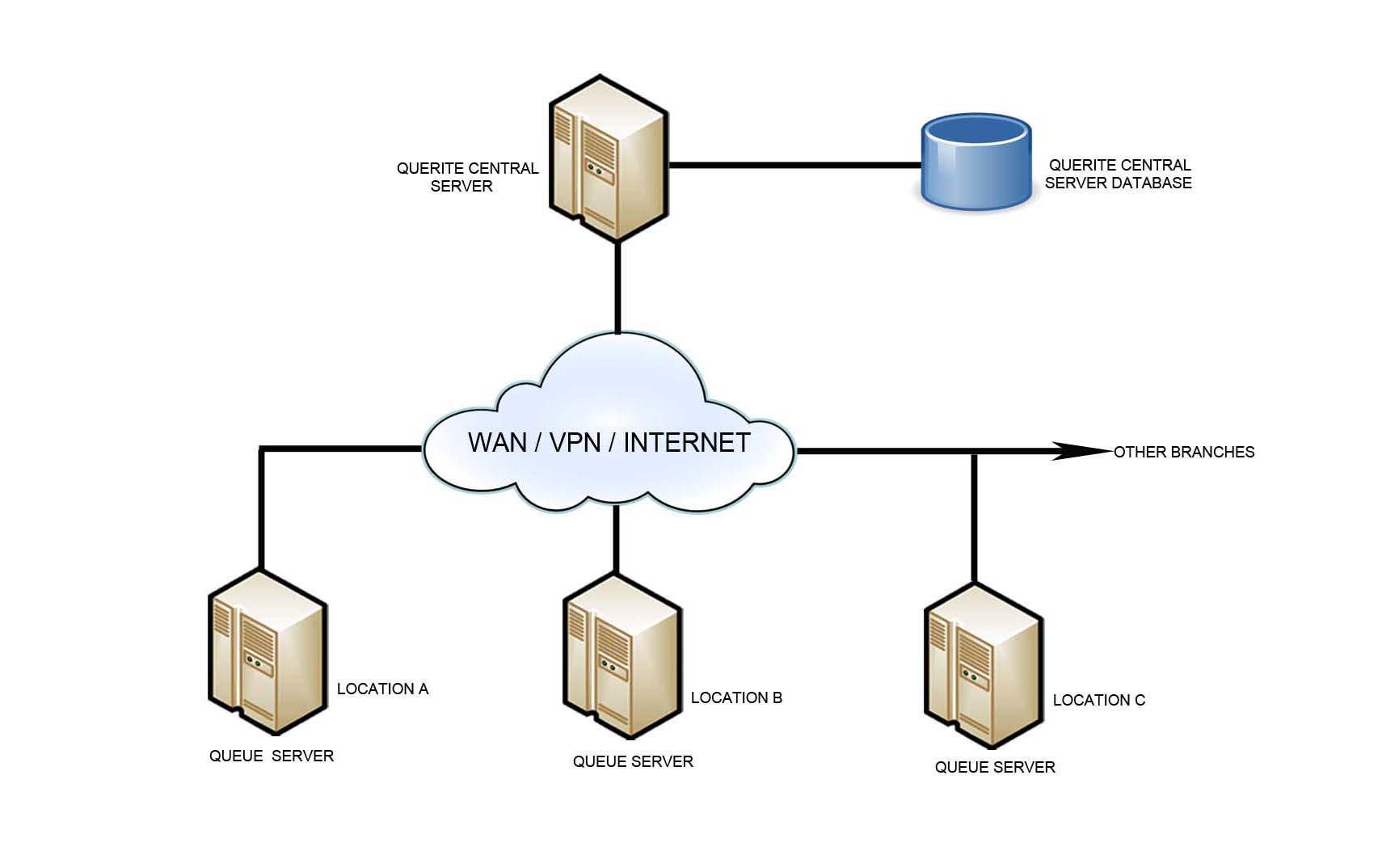
The SuoQCloud System can be set up to use a Central Server. The SuoQCloud Central Server can access all Branch locations, and generate the summary reports for each Branch, or the reports for a combination of the Branches. There is also the option to remotely push configuration settings to each Branch’s SuoQCloud Server, for centralized administration of the Queue System.